
Sinking Funds: Saving for Expenses That Are Guaranteed to Show Up
Car insurance in November, gifts in December, booking a vacation in spring: some expenses aren't emergencies, and still blow up your monthly budget the moment they're due. Sinking funds solve exactly that: you set aside a small, fixed amount every month until the bill arrives. A budget-buster turns into a predictable monthly line item.
What are sinking funds?
A sinking fund is a set-aside earmarked for an expense that doesn't come every month, but definitely comes. The term originally comes from corporate finance (a fund you pay into regularly until a debt comes due), and it's since become standard vocabulary in the cash-stuffing community, where a sinking fund is the envelope that grows over months until the holidays or the insurance bill arrives.
The underlying idea goes by a lot of names in budgeting circles. YNAB calls it "embrace your true expenses": your real monthly costs aren't just rent and groceries, they're also a twelfth of your insurance, a twelfth of your gift spending, a twelfth of your car repairs. If you don't plan for these line items, you don't have bad luck in November; you did the math wrong in January.
Sinking fund vs. emergency fund: the difference
Both are set-asides, but with clearly separate jobs:
- The emergency fund is for the unpredictable: job loss, a broken washing machine, a dental emergency. You hope you never need it.
- A sinking fund is for the predictable: car insurance is guaranteed to come, the holidays never skip a year. You know you'll need it: the date is just somewhere down the road.
Keeping them separate matters, because otherwise both buckets break down: if you pay for gifts out of your emergency fund, you're draining your safety net for something that wasn't an emergency, and then hesitate to touch your real savings during an actual emergency because it was "sort of earmarked for vacation."
Which sinking funds do you actually need?
Look back over the last year and find the expenses that caught you off guard. The usual suspects:
- Insurance billed annually or semi-annually: car, liability, renters/home
- Gifts: holidays, birthdays, weddings
- Vacation: booking, spending money, travel to get there
- Car: tires, service, repairs, vehicle inspection
- Annual subscriptions and memberships: software, clubs, anything billed yearly
- Health: glasses, dental work, copays
- Annual utility true-up: the settlement bill shows up every year, the amount varies
- Moving or new furniture: if you can see it coming
Don't start with all of them at once: three to five funds for your biggest budget-busters capture most of the benefit.
Calculating a sinking fund (with an example)
The formula is deliberately simple:
Monthly amount = total ÷ months until it's due
An example set for a year:
- Car insurance: $420 in 12 months → $35 a month
- Holiday gifts: $330, saved starting in January over 11 months → about $30 a month
- Vacation: $1,200 in 10 months → $120 a month
- Car repairs: an estimated $480 over the year → $40 a month
That's $225 a month combined: money you'd have spent either way, just as a shock instead of a line item. The difference: with sinking funds, that $225 is a fixed part of your monthly budget, and November stops hurting.
If a due date is already close, calculate based on the months you actually have left. The first round will be more expensive, and the relaxed one-twelfth rate kicks in from the next cycle.
Where should you run sinking funds?
Three options, from analog to digital:
- Cash envelopes: The cash-stuffing community's approach works, but has the same downsides as any cash: no interest, no insurance, impractical for larger amounts over many months.
- Sub-accounts at the bank: Visibly separated, but inflexible: you don't want to manage seven separate accounts for seven sinking funds.
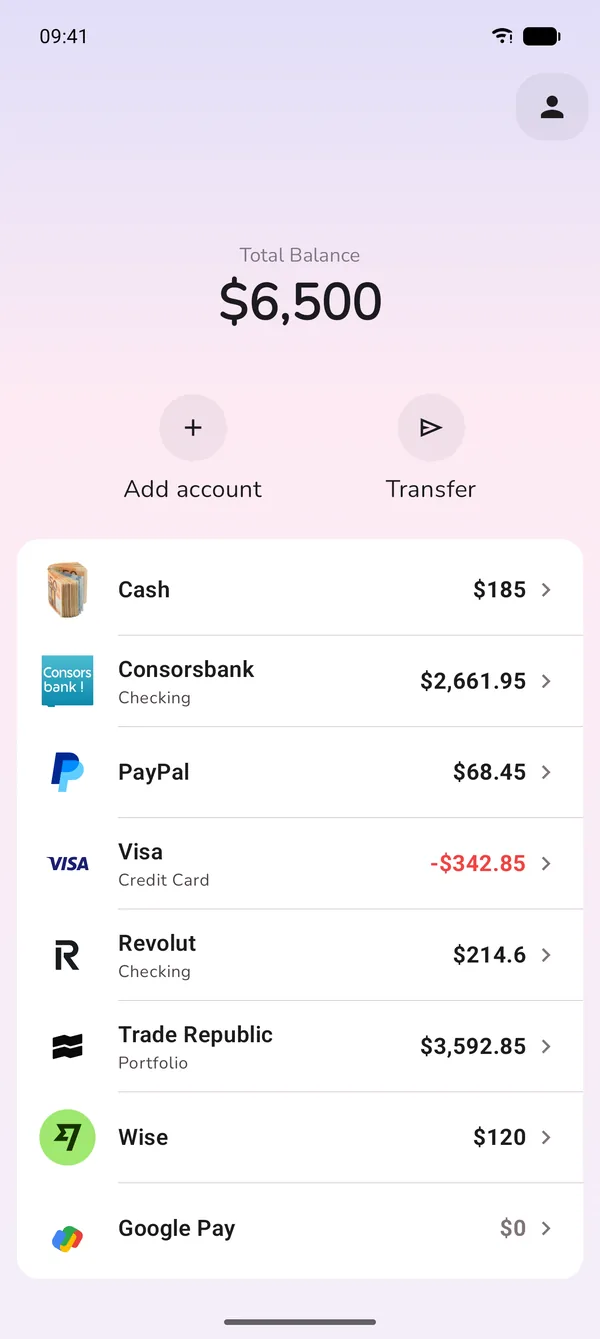
- Categories in a budgeting app: The money sits together in one interest-bearing savings account, and the app handles the earmarking: one bucket per purpose, with a target amount and progress. This is the digital envelope system, applied to sinking funds.
How to do it in GetALife
In GetALife, sinking funds are just regular budget categories with a target:
- One category per fund: "Car insurance," "gifts," "vacation": every sinking fund gets its own bucket and stays visibly earmarked.
- Set a target amount: You enter how much needs to add up by when, and see the progress every month; the app tells you if your monthly rate is enough.
- Monthly assignment: When you assign your budget at the start of the month, every fund gets its rate, which makes the set-aside part of your zero-based budget, not a "whatever's left over" afterthought.
- Due? Just spend it: When the bill arrives, you log it to the category: the fund empties out, and the rest of your budget doesn't feel a thing. That's exactly what it was there for.
- Savings goals with photos: For a motivating goal like a vacation, GetALife lets you set up a savings goal with visual progress: a sinking fund is allowed to be exciting too.
Common sinking fund mistakes (and how to avoid them)
- Lumping everything into one bucket: A catch-all "misc" fund never tells you whether the money's earmarked for the holidays or the mechanic, so it gets raided for both, too early. One fund per purpose.
- Mixing it with the emergency fund: Predictable and unpredictable need separate buckets, or you end up paying for vacation out of your safety net.
- Starting too late: A holiday fund that starts in October costs $100 a month instead of $30. The best time to start is the month right after you paid the last bill.
- Treating the monthly rate as optional: If you only fund it "when there's something left over," you'll have nothing in November. The fund's rate is a fixed line item, just like rent.
- Using round guesses instead of real numbers: Check the actual last bill instead of estimating: car insurance doesn't cost "about $400," it costs exactly what's on the statement.
Frequently asked questions
What is a sinking fund, in plain English?
A set-aside earmarked for one purpose. A fixed monthly amount for an expense that's guaranteed to come, so the money's already there when the bill shows up.
What's the difference from an emergency fund?
An emergency fund covers the unpredictable, sinking funds cover the predictable. Keep them separate, or predictable expenses will drain your safety net.
How do I calculate a sinking fund?
Total amount divided by the months until it's due. $420 insurance due in 12 months comes out to $35 a month.
Where should I keep the money for sinking funds?
Together in one high-yield savings account: a budgeting app handles the earmarking with one bucket per purpose. Seven sinking funds don't need seven bank accounts.
Conclusion
Sinking funds are the least flashy budgeting trick with the biggest payoff: they turn the four or five expenses that blow up your budget every year into calm monthly line items. No November shock, no raided emergency fund, no guilt over the vacation, because every dollar already knew what it was for, well before it was needed.
Set up your first sinking funds
GetALife runs your sinking funds as budget buckets with a target and progress. 7-day free trial on Android.

 Launching now