
Voice Expense Tracker: Log Expenses by Voice in Seconds
Most expense tracking fails for one reason: typing every purchase into a form is just annoying enough that you stop doing it. A voice expense tracker removes that friction: you say what you spent, and AI turns it into a proper entry with amount, merchant, and category. Here is how it works and what to look for.
Why expense tracking usually dies within two weeks
The hard part of tracking expenses was never the math: it is the logging. The classic routine looks like this: collect receipts all day, sit down in the evening, type each one into a spreadsheet or an app form. Merchant, amount, category, date, save, next. That is a chore, and chores get skipped. First you skip one evening, then a weekend, and by week two the backlog is so demoralizing that you quietly give up.
The lesson is not that you lack discipline. It is that every extra second between "money leaves your pocket" and "expense is logged" multiplies the odds of the entry never happening. If you want to track expenses without typing, you need to attack exactly that gap.
How voice input solves the friction problem
Logging expenses by voice flips the routine: instead of collecting now and typing later, you record the expense in the moment it happens. You walk out of the store, hold the phone you already have in your hand, and say one sentence. No form, no keyboard, no receipt pile waiting at home.
That timing matters more than it sounds. An entry made on the spot is accurate: you still know the amount and the merchant. An entry reconstructed three days later from a crumpled receipt is a guess. And because a spoken entry takes a few seconds, there is never a backlog to dread, which is what keeps the habit alive past week two.
How a voice expense tracker actually works
Modern voice expense trackers do more than transcribe speech. An AI model parses your sentence and extracts the structured pieces a real bookkeeping entry needs:
- The amount: "47 dollars", "4.50", "twelve fifty" all resolve to a number.
- The merchant or context: "Starbucks", "grocery store", "gas station".
- The category: inferred from the merchant and wording, so a coffee lands in dining or treats, not in a generic "other" bucket.
In practice, you speak the way you would tell a friend: "grocery store 47 dollars" or "coffee at Starbucks 4.50". The tracker turns that into a categorized transaction: the same result as two minutes of form-filling, in a fraction of the time.
What to look for in a voice expense tracker
- Easy correction: AI parsing is good, not perfect. Before an entry is saved, you should be able to see what was understood and fix the amount or category with a tap, not fight the transcript.
- Real categories: A voice entry is only useful if it lands in the same category system as the rest of your money. Look for a tracker where spoken entries feed your normal categories and budgets, not a separate voice inbox.
- A manual fallback: Sometimes you cannot talk to your phone: a quiet office, a loud train, no connection. A good tracker lets you type an entry manually anytime and works offline, so a dead spot never costs you a transaction.
How to do it in GetALife
GetALife is built around exactly this low-friction loop:
- AI voice input: Say "grocery store 47 dollars": the AI extracts amount, merchant, and category and creates the transaction for you. One sentence, done.
- A manual option, always available: Adding transactions by hand stays fast too: voice is the shortcut, not the only way in.
- Recurring transactions: Rent, salary, and subscriptions are entered once and then posted automatically every month: the expenses you never have to log at all.
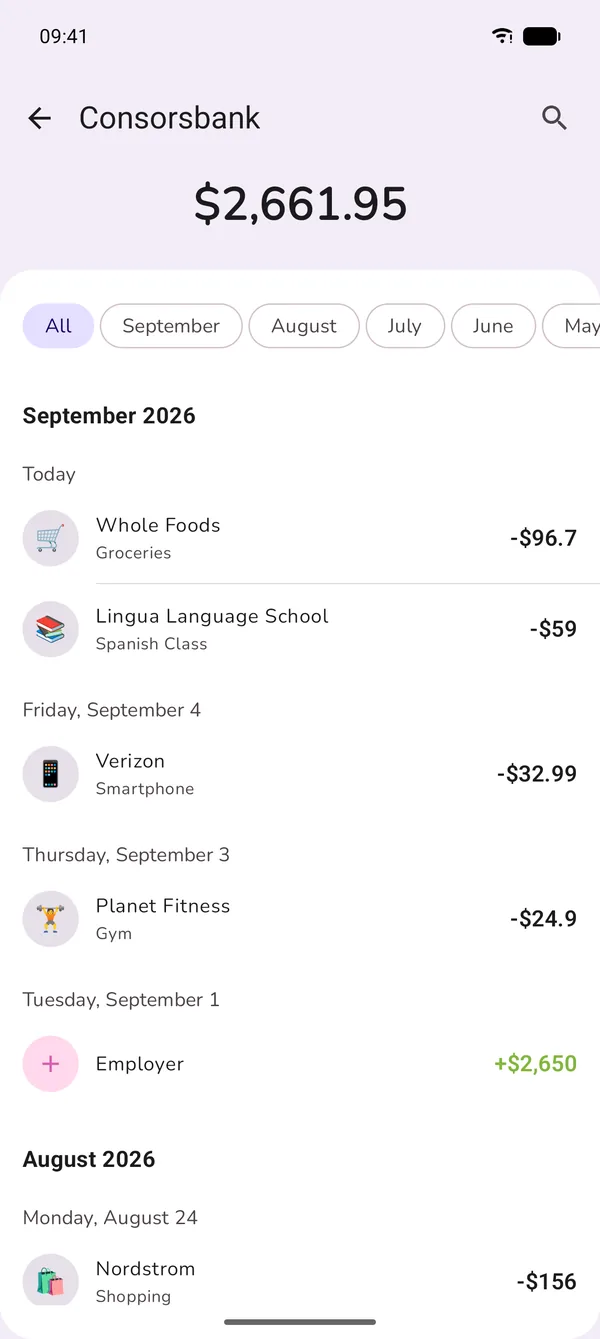
- Analytics included: Every entry, spoken or typed, flows into the analytics dashboard with spending trends and category breakdowns: the payoff that makes tracking worth it.
Common mistakes when tracking expenses by voice
- Saving without a glance: Take one second to check what the AI understood. Correcting a miscategorized coffee now is trivial; finding it in a month-end review is not.
- Waiting for the "right moment": The whole point is logging at the moment of spending. If you postpone the sentence until later, you have rebuilt the old typing workflow with extra steps.
- Only logging the big stuff: The expenses that wreck budgets are the small, frequent ones. Voice makes a $4.50 entry cheap, so log it.
- Tracking without budgeting: Logged expenses are raw material. Give your categories limits and the tracker becomes a budget that actually steers your money.
Frequently asked questions
Why does expense tracking fail for most people?
Not because of discipline, but because of friction: hours pass between the purchase and the entry, the pile of receipts grows, and by week three the routine breaks down. The shorter the path from purchase to entry, the longer tracking survives.
How does voice expense tracking work?
You say a sentence like "grocery store 47 dollars": the AI recognizes the amount, merchant, and category and creates the transaction. Before it saves, you see the entry and can correct any field.
What happens if the AI mishears me?
A good voice tracker shows the entry before saving and lets you tap and correct individual fields instead of starting over. A misheard word costs you seconds, nothing more.
Do I really need to log every small purchase?
Yes, and that is exactly why the entry has to be effortless. Individual $2 purchases do not matter, but added up over a month, they are the reason money "goes missing".
Conclusion
Expense tracking does not fail because people cannot do it: it fails because the logging is tedious. A voice expense tracker cuts the tedious part down to one spoken sentence at the moment you spend, and lets AI handle amount, merchant, and category. Combine that with easy corrections, a shared category system, and a manual offline fallback, and tracking stops being a two-week experiment and becomes a habit that survives.
Track your next expense in one sentence
GetALife comes with a 7-day free trial, works offline, and with AI voice input a spoken sentence becomes a categorized transaction in seconds.

 Launching now