
Expense Tracker App: The Best Way to Track Your Spending
Tracking your spending is the single most reliable way to find out where your money actually goes each month. The catch: paper notebooks and spreadsheets almost always die on contact with real life. An expense tracker app fixes exactly that, if you set it up right. Here is how, in about ten minutes.
Why track expenses at all?
Most people systematically underestimate what they spend, especially the many small amounts: coffee on the go, delivery apps, subscriptions nobody uses anymore. Tracking makes that gap visible. Log your spending consistently for just four weeks and you will almost certainly find several recurring expenses you would happily cut: money that was leaking out unnoticed, month after month.
The real value is not the logging itself, though. It is the decision that becomes possible afterwards: once you know what goes to fixed costs, groceries, and fun, you can steer deliberately, instead of wondering at the end of the month why the account is empty again.
Paper, spreadsheet, or app: what actually works?
All three methods reach the same goal, but they demand very different amounts of willpower to sustain:
- Paper notebook: Cheap and mindful, but there is no analysis. You add up totals by hand and never see a trend. Most people quit after two or three weeks.
- Spreadsheet: Flexible, but every expense has to be typed in later at a computer. That media break (collect receipts, enter them in the evening) is precisely where the routine dies.
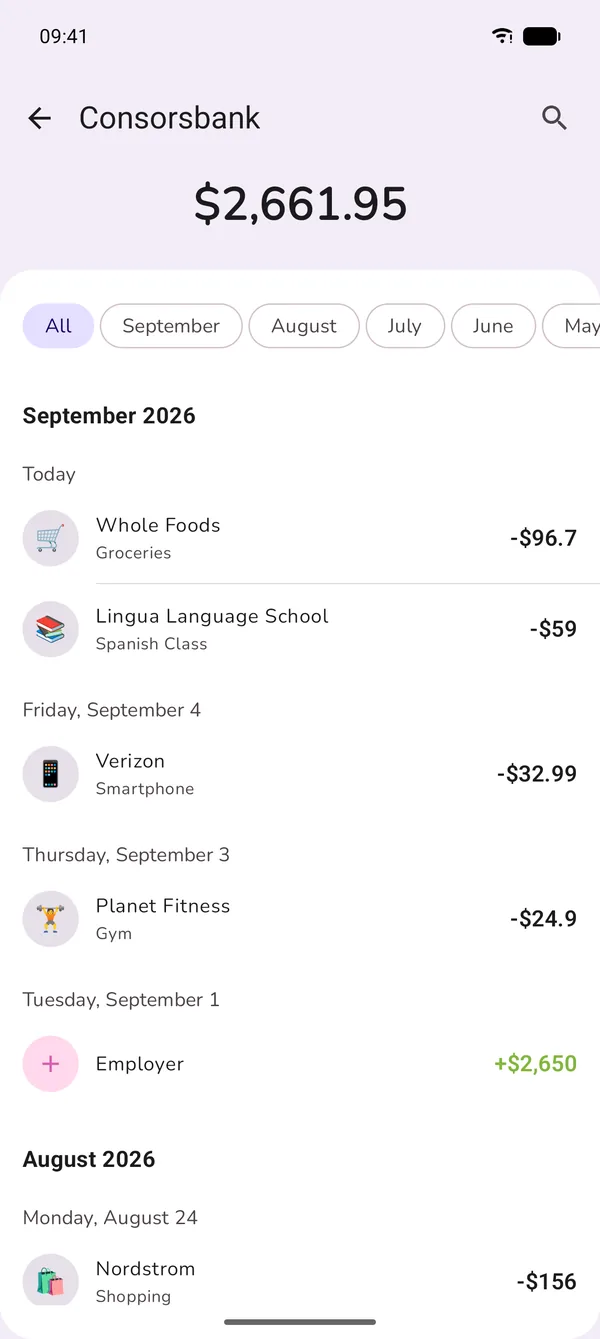
- Expense tracker app: Your phone is already in your hand when you pay. The entry happens in the same moment as the expense, and the breakdown by category, month, and trend comes built in.
In short: the best way to track expenses is whichever method you are still using in week six. In practice, that is almost always the app.
How to set up your expense tracker: step by step
1. Add your accounts (2 minutes)
Create your real accounts: checking, savings, cash, maybe a credit card and a brokerage account. That way your tracker covers all of your money, not just card payments, and it becomes the foundation for tracking your net worth later on.
2. Pick 8–12 categories (3 minutes)
Less is more: start with eight to twelve categories such as rent, groceries, transport, restaurants, subscriptions, and fun. Overly fine categories ("organic produce" vs. "canned goods") make every entry a decision and the reports unreadable. If you want spending limits per category, the 50/30/20 rule is a solid way to split them.
3. Log every expense immediately (5 seconds per entry)
The golden rule: record the expense before you leave the store. This is where tracking lives or dies. The less friction per entry, the better. Ideally logging an expense is faster than unlocking your banking app.
How to do it in GetALife
GetALife is built as an expense tracker around exactly this idea of zero friction:
- Voice instead of typing: Say "grocery store 47 dollars": the AI recognizes amount, merchant, and category and creates the entry automatically. Here is how voice expense tracking works.
- Optional bank sync (coming soon): If you would rather type nothing at all, GetALife will import your transactions automatically and securely via finAPI.
- Recurring transactions: Enter rent, salary, and subscriptions once: the app posts them by itself every month from then on.
- Analysis built in: Spending trends, category breakdowns, and month-over-month comparisons live in the analytics dashboard. No formulas required.
- Motivation included: The league system rewards you for staying consistent: the one weakness every classic tracking method shares.
Common expense tracking mistakes (and how to avoid them)
- Logging too late: Whoever collects receipts to "enter them on the weekend" forgets half of them. Log immediately: by voice it takes five seconds.
- Too many categories: More than 15 categories turn every entry into a decision. Start coarse, refine later.
- Only tracking, never deciding: Tracking is the means, not the end. After the first month, set limits per category: that turns observing into a real budget.
- Quitting after the first missed day: One forgotten day does not matter. What counts is the trend over months, not a perfect, gapless record.
Frequently asked questions
What does an expense tracker actually get you?
It answers the question of where your money actually goes: not a gut feeling, but real numbers. Most people discover several expense items in the first two months that they had significantly underestimated.
Is an app better than paper or a spreadsheet?
Paper fails at analysis, a spreadsheet fails at the media break: the expense happens on the go, the spreadsheet waits at home. An app can do both: log in the moment of spending and analyze automatically. What matters is picking a method you still use in week six.
How many categories should I set up?
Eight to twelve are plenty to start. Too many categories turn every entry into a decision and are one of the most common reasons expense trackers get abandoned.
Do I need bank sync for expense tracking?
No. Manual logging takes only seconds with a good app and even keeps you more conscious of your spending. Bank sync (coming soon in GetALife) is convenient, but not required.
Conclusion
Tracking your spending is not a question of discipline but of friction: the easier the single entry, the longer you keep going. A good expense tracker app takes the logging, the math, and the analysis off your plate, and leaves you the only job that really matters: making better decisions with your money.
Start tracking your spending today
GetALife works offline, comes with a 7-day free trial, and turns expense tracking into a game you actually want to win.

 Launching now